Secure Managed Wi-Fi for Kingdom Halls
Enable Wi-Fi Management for your local Kingdom Hall and support multiple congregations in one Kingdom Hall, each with their own Wi-Fi password.
Easily disable Wi-Fi at the touch of a button to leave the Internet connection free for special broadcasts and branch tie-ins. Block devices from accessing the Internet, and easily change the Wi-Fi password regularly as required.
NAVX Hosting is an independent hosting service and is not affiliated with, endorsed by, sponsored by, or officially associated with Ubiquiti Inc. UniFi and UniFi OS are trademarks of Ubiquiti Inc. All trademarks remain the property of their respective owners.
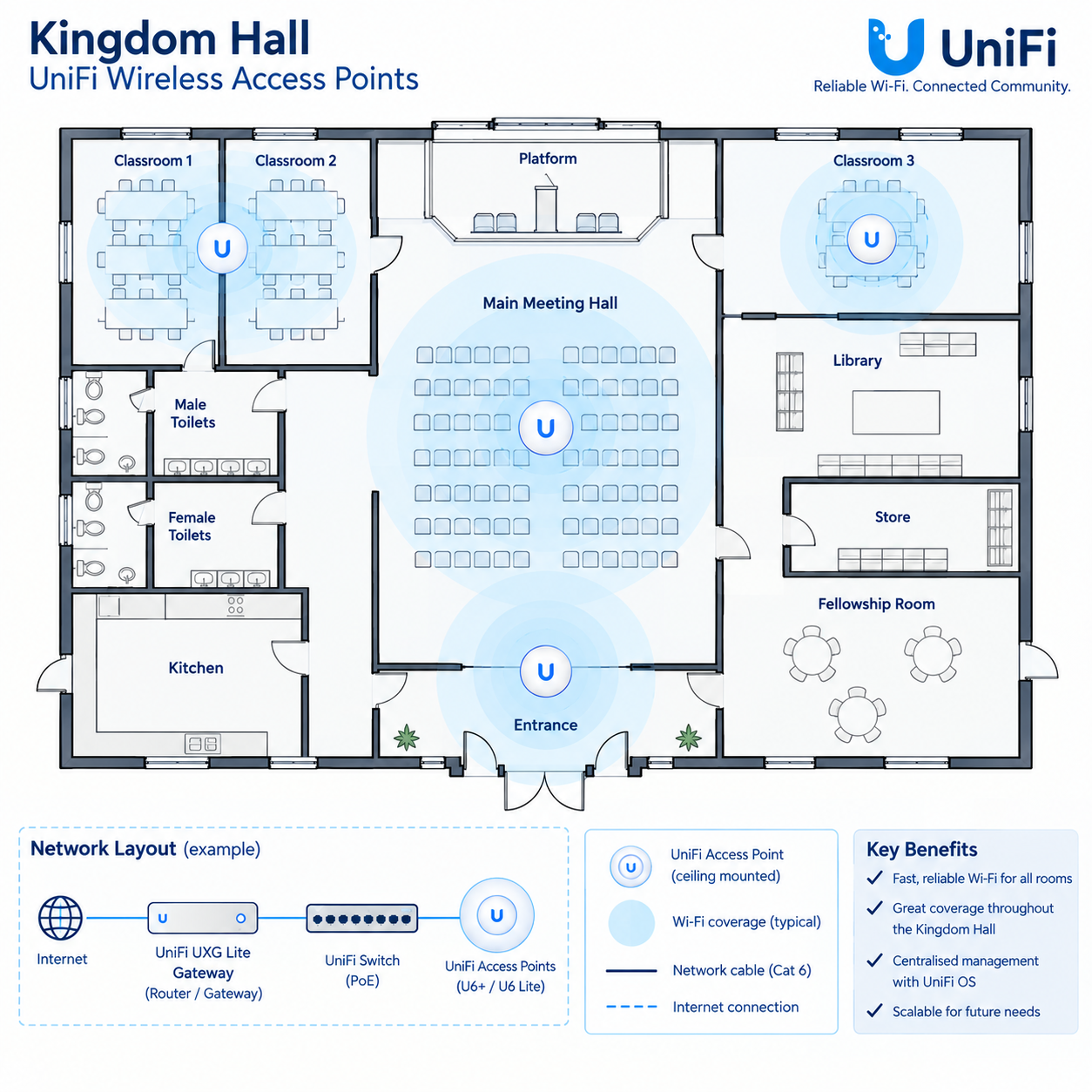
Example Installation (Large)
How it all works…
Select Go To Checkout on your chosen Package, complete payment at Checkout and we will create your UniFi Site within 1-2 days.
We will email you at the address you provide at Checkout to say, “Your UniFi Site is ready.” This email will contain important information about setting up access from your mobile device or computer.
Find out how to use UniFi OS Hosting using:
Download the UniFi App using the links below and create a ui.com account using the same email address you provided at Checkout – let us know when this has been done.

To use our service via a web browser without the App, go to ui.com and create an account using the same email address you provided at Checkout – let us know when this has been done.
We will then give you access to your UniFi Site and send you Device Adoption instructions – straightforward methods to get your UniFi kit into UniFi OS. Or if you order a Starter or Advanced Pacakage your kit will arrive with you pre-confgured, ready to Plug & Play.
You will be billed each month until you cancel, and you can cancel any time to disable annual renewal.
You will need to have an Internet connection and an Internet Router already in-place at your Kingdom Hall and disable access to its in-built Wi-Fi (or change the Wi-Fi password) after installing your UniFi Wireless Access Points so that all congregation members will only use the UniFi Managed Wi-Fi Discs.
1-Year’s Hosting
per year
For Kingdom Halls that already have UniFi Wi-Fi Discs, providing a year’s access to UniFi OS Network Application for Wi-Fi management.
Wi-Fi Kit Starter Pack
one-off
Everything you need to deploy secure, managed Wi-Fi at your Kingdom Hall for one or many congregations.
Wi-Fi Advanced Pack
one-off
For more complex sites that require control power for remote reboots.
Regular Updates
The UniFi Network Application gives you the option to enable automatic firmware updates for your UniFi devices.
Secure Remote Management
Leverage the Multi-Factor Authentication that comes with your UI.com account to keep remote access secure.
Wi-Fi Scheduling
Want one Wi-Fi for you, and one for the children? No problem! Have the children’s Wi-Fi scheduled to switch off at bedtime.
Performance Optimization
Use the UniFi Network Application to schedule automatic Wi-Fi channel optimisation each night.
Bandwidth Management
Limit the speed that your guest W-Fi users can have, keeping the lion’s share for business operations.
Email Support
We are just an email away. Let us know what’s on your mind, and we aim to get back to you the same day!
Why choose UniFi OS Hosting?
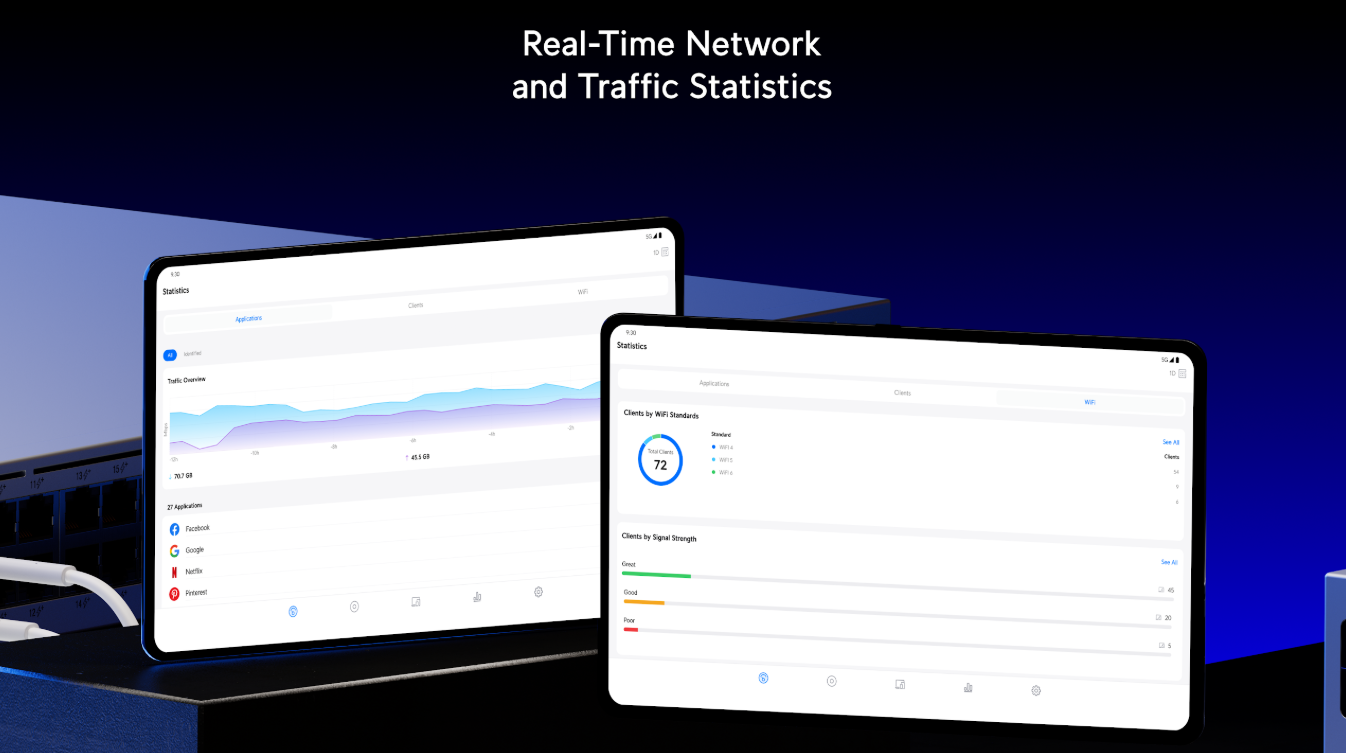
UniFi OS Hosting provides a fully managed, cloud environment designed specifically to run your UniFi gateways, switches, and access points with maximum uptime. By offloading controller management to a dedicated server, you eliminate the hardware overhead of local cloud keys while maintaining total network control and effortless scalability. It offers a secure, high-performance solution that lets you seamlessly monitor and manage your home lab or multi-site network deployments from anywhere.
Something you wanted to ask?
Please don’t hold back in asking; If we can help, we will!